

If there’s one thing you should know about me, it’s that I’ve spent a lot of time in the UK. I’ve been visiting since I was a teenager and, at 22, I’ve already been to London around ten times, as well as Manchester, Edinburgh, Glasgow, York, Newcastle, Portsmouth, Brighton, Cambridge and plenty of other places. So at this point, I feel pretty confident calling myself a bit of a UK travel expert. 🇬🇧
Most of my trips are shorter city breaks, usually somewhere between a weekend and five days, and I’m normally travelling with my best friend, my brother or my family. And while I love planning my trips down to the smallest detail, there’s one thing I absolutely cannot travel without anymore: reliable mobile data.
I’m very much part of the generation that uses our phones for basically everything while travelling. Google Maps gets me from A to B, I use my phone to figure out public transport, check opening hours, find restaurants, look up those viral cafés I’ve seen online, buy train tickets and, of course, stay in touch with everyone back home.
Unfortunately, my regular Dutch phone subscription has never really liked the UK as much as I do. Even though I have a pretty good (and definitely not cheap!) mobile plan, I’ve repeatedly had problems getting reliable 4G or 5G whenever I’ve travelled around the UK. Sometimes things load eventually, but when you’re standing at the airport trying to buy a train ticket into the city centre, waiting forever for Google Maps to load isn’t exactly ideal. And yes, buying that train ticket instead of taking a taxi is very much part of my “we’re travelling on a budget here, babe” philosophy.
It has also caused problems when I’ve needed to answer work emails, send photo updates to my mum while travelling or simply look something up while walking around a new city. I even switched mobile providers recently, hoping that would solve the problem, but during my most recent UK trip I still ran into exactly the same issue.
That trip was to Manchester, and eventually I’d had enough. After a few days of relying on free Wi-Fi in pubs and cafés or borrowing my best friend’s phone whenever I needed Google Maps, I decided it was time to try something different. I used one of my Holafly eSIMs, and suddenly everything I had been struggling with started loading properly again.
My emails, WhatsApp messages, maps and travel information all worked much more smoothly, and I could finally use my own phone without constantly wondering whether I’d actually have internet when I needed it.
And honestly? I wish I’d started using an eSIM for my UK trips sooner.
So, if you’re planning a trip to the UK and you’re wondering whether you need an eSIM, how they work and whether Holafly is actually worth it, here’s everything I’ve learned from using one myself, including the things I wish I’d known before my first trip.
What Is an eSIM and Do You Need One When Travelling to the UK?
Before getting into Holafly specifically, let’s talk about what an eSIM actually is.
An eSIM is essentially a digital SIM card that’s built into your phone. Instead of buying a physical SIM card when you arrive somewhere, you can purchase an eSIM online, install it on your phone and use it to connect to a mobile network abroad.
For me, this was a massive upgrade from the way I used to travel. Back in 2024, when I travelled to New York, I still bought a physical SIM card. I had to deal with swapping out my normal SIM, keeping track of the tiny little card I’d removed from my phone and making sure I didn’t lose it somewhere in my luggage. At the time, it didn’t even occur to me that there was another option.
Then I discovered eSIMs, and suddenly the whole process became much easier. With an eSIM, you don’t have to remove your normal SIM card. You can keep your usual number and SIM in your phone and simply add the travel eSIM alongside it. You can then choose which one you want to use for mobile data.
This is particularly useful when travelling because you don’t have to worry about losing your regular SIM card or putting it somewhere “safe” and then forgetting where that safe place was. We’ve all been there.
It also means you can set everything up before you travel. I personally prefer installing my eSIM before leaving home and then activating it once I arrive, so I don’t have to figure everything out while standing in an airport.
Why I Started Using Holafly for UK Trips
I’ve tried travelling around the UK without an eSIM plenty of times, and honestly, my normal phone subscription has never been particularly reliable for me here.
You’d think that after visiting the UK this many times, I’d have figured it out by now. But whether I’m in London, Manchester or somewhere else, I’ve repeatedly had situations where my Dutch mobile data technically connects, but everything takes forever to load.
And when you’re travelling, that’s not just annoying. It can actually make things more difficult. Imagine arriving at the airport and trying to figure out how to get into the city. You need Google Maps to find the train station, you need to look up the train times, you need to purchase your ticket and perhaps you need to message whoever is waiting for you. If your data decides to take five minutes to load every single page, suddenly something that should take two minutes becomes a whole ordeal.
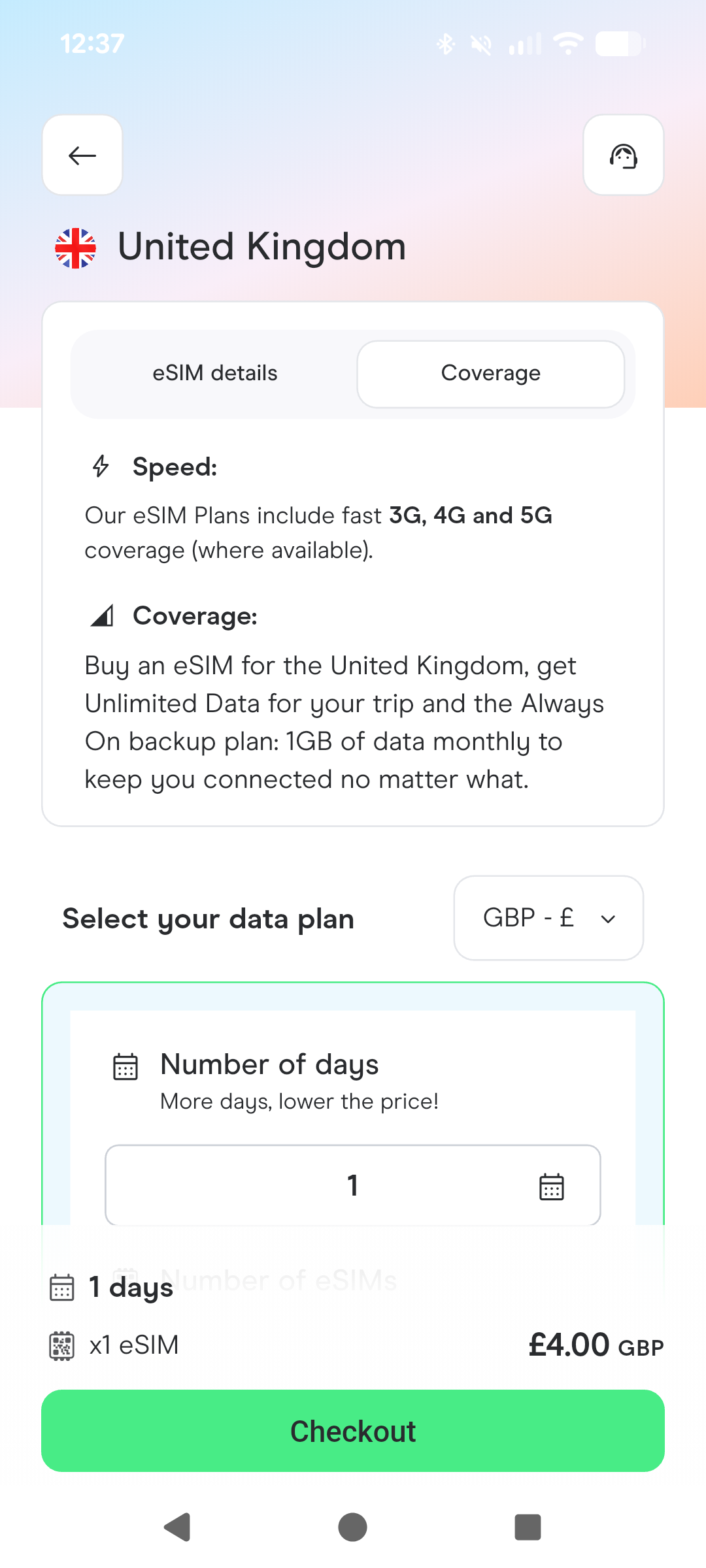
That’s exactly the kind of situation where having a separate travel eSIM makes sense for me. Holafly offers eSIMs for 200+ destinations, with unlimited data on many plans. Depending on the destination and plan, you can connect to available 4G, 5G or LTE networks without needing to buy a local physical SIM.
And one of the biggest selling points for me is simply the convenience. I don’t need to visit a shop, I don’t need to find a SIM card at the airport and I don’t need to swap anything out of my phone. I can sort it out online and have it ready for my trip.
My Real Holafly Experience in Manchester
This is where my recommendation actually comes from.
During my most recent trip to Manchester, I initially decided not to use my Holafly eSIM straight away. I thought I’d just see how my normal Dutch subscription performed. Spoiler alert: not great. After a few days, I was honestly fed up.
My best friend had ended up doing most of the navigating because her phone had a working connection, while I was constantly relying on free Wi-Fi wherever we happened to be. Need to check Google Maps? Find Wi-Fi. Want to look something up? Find Wi-Fi. Need to buy a train ticket? Hopefully the Wi-Fi works. Want to send something on WhatsApp? You get the idea.
At one point, I realised how ridiculous it was that I was travelling around a major UK city while basically treating my best friend’s phone as my personal navigation device. So I finally used one of my Holafly eSIMs.
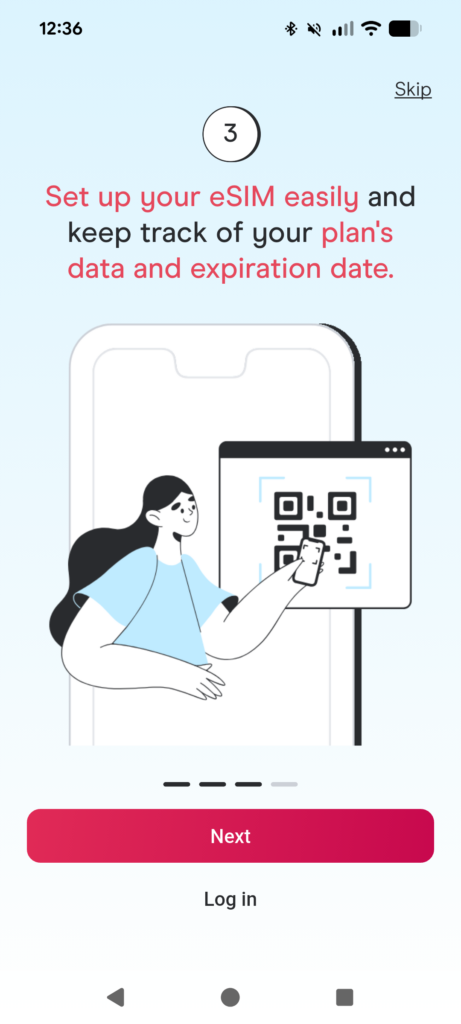
I bought and installed it while connected to the Wi-Fi at our hotel. The setup was straightforward: after purchasing the eSIM, I received the information needed to install it, including the QR code, and could add it to my phone without removing my normal SIM.
Once I switched over to the Holafly eSIM for mobile data, the difference was noticeable. My emails loaded properly, WhatsApp worked, Google Maps worked and I could actually use my phone while walking around Manchester without constantly hunting for Wi-Fi.
It might sound like a small thing, but when you’re travelling, having your phone simply work when you need it is a huge relief. And because I travel so much around the UK, this is exactly why I’ve continued recommending Holafly.
Click here to check out prices & plans for Holafly (Use this link for 5% off eSIMs)
Why Reliable Data Is So Important When I Travel
I’m not a digital nomad. I’m not travelling around the UK while sitting in a café working eight hours a day. But I still use a ridiculous amount of mobile data when travelling. My phone is basically my little travel assistant. I use Google Maps to navigate unfamiliar streets, Google searches to find restaurants and attractions, public transport apps to figure out how to get around and websites to check opening hours or book tickets.
And because I’m a travel content creator, there’s another layer to it. I need to keep an eye on work emails while I’m travelling, especially when I’m in the middle of collaborations. I also send photo updates to my mum so she knows what we’re up to, and of course I’m using Instagram and WhatsApp throughout my trips. Even something as simple as looking up a restaurant you’ve just walked past requires data.
When you’re travelling solo, reliable data becomes even more important because you can’t simply borrow your travel companion’s phone when your own decides to stop cooperating. That’s one of the biggest reasons I’d recommend getting an eSIM for anyone travelling around the UK without reliable data included in their normal phone plan.
How to Install a Holafly eSIM
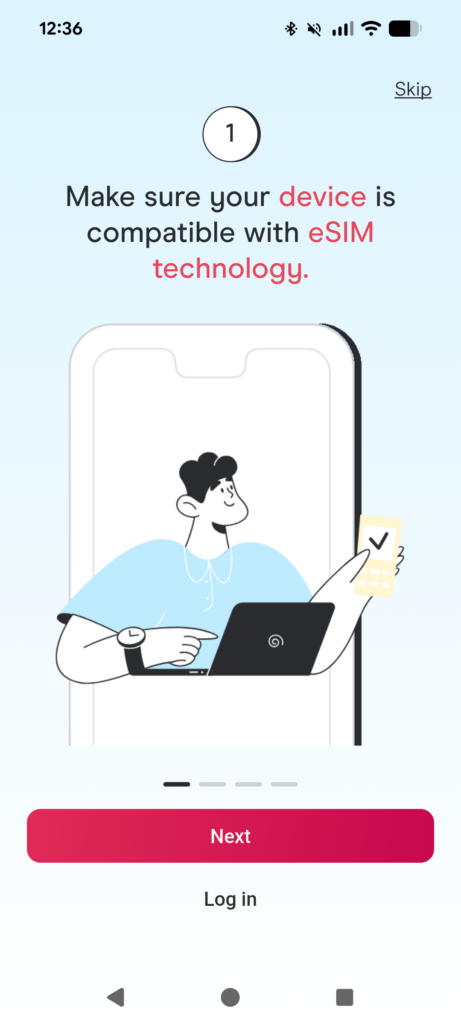
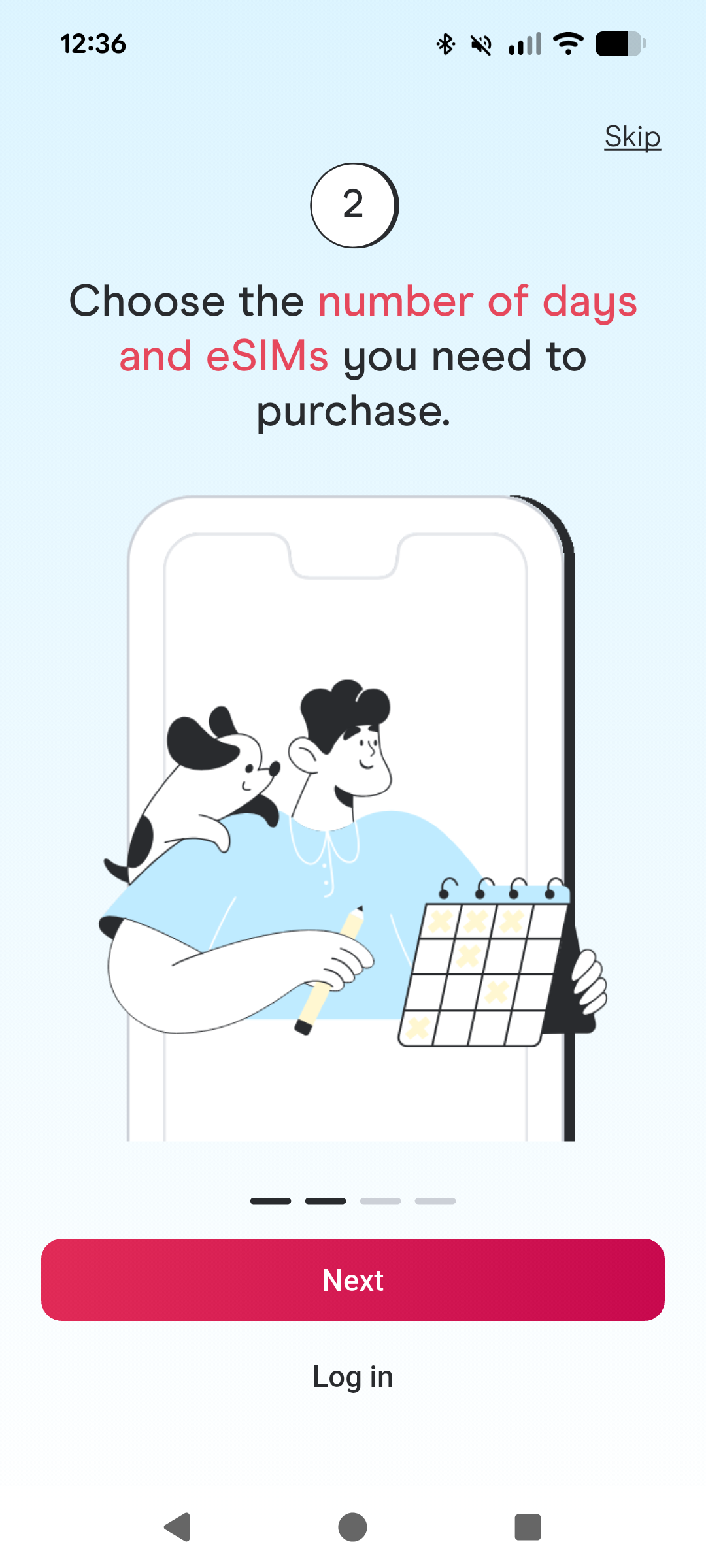
One thing that originally put me off eSIMs was thinking they’d be complicated. They’re really not. I installed mine while connected to the Wi-Fi at my hotel in Manchester, but you can also set everything up before leaving home.
After purchasing your eSIM, you’ll receive the information needed to install it, including a QR code. You can then add the eSIM to your phone without removing your normal SIM.
I personally recommend installing it before you travel so you don’t have to rely on airport Wi-Fi when you arrive. You can then activate it when you reach the UK and switch your mobile data over to the Holafly eSIM. That means you can land, turn your data on and get straight to figuring out how to reach your hotel instead of standing around trying to find free Wi-Fi. And yes, you can keep your normal SIM in your phone at the same time.
That’s one of my favourite things about eSIMs compared with the physical SIM I used in New York. I don’t have to remove my normal SIM and risk losing it somewhere in my suitcase.
What I Like About Holafly
After using Holafly for my travels, there are a few things that stand out to me.
No More Hunting for Wi-Fi
This is probably the biggest one for me. I don’t want to plan my sightseeing around whether a café happens to have Wi-Fi. During my Manchester trip, I got so tired of relying on free Wi-Fi that simply being able to open Google Maps whenever I wanted felt like a luxury. With Holafly, I can just use my phone normally while I’m out exploring.
Unlimited Data
Holafly offers unlimited data on many of its eSIM plans, which means you don’t have to constantly worry about how much data you’ve used. For someone like me who is constantly checking maps, browsing websites, using social media and sending photos, I really like not having to keep track of every MB.
Of course, the exact plan details and network conditions can vary by destination, so always check the current UK plan before purchasing.
Here you can check out Holafly pricing & plans for your next trip (Use this link for 5% off eSIMs)
You Can Keep Your Normal SIM
This was a huge upgrade for me after my physical SIM experience in New York.
Your normal SIM can stay in your phone while the Holafly eSIM handles your travel data. You don’t have to physically remove anything. You can even switch between your SIMs if you want to compare the connection yourself.
Always On Backup Data
Another feature included with Holafly is Always On, which provides 1 GB of backup data every month in 70+ supported destinations.
I love the idea of having that safety net available because the worst time to realise you’ve run out of data is when you’re already somewhere and desperately need to look something up. It’s one less thing to worry about while travelling.
Is Holafly Worth It for a UK Trip?
For me, absolutely. But I also think it’s important to be realistic about who actually needs it. If your normal phone subscription already gives you reliable mobile data in the UK, you might not need to buy a separate eSIM.
I’d particularly recommend considering Holafly if you’re travelling to the UK and:
- Your current phone provider doesn’t include UK data
- Your normal mobile connection is unreliable abroad
- You don’t want to buy and swap physical SIM cards
- You rely heavily on Google Maps and public transport apps
- You’re travelling solo and need to be able to navigate independently
- You want to use your phone for WhatsApp, social media and browsing without relying on Wi-Fi
- You’re travelling between multiple UK destinations
- You simply don’t want to spend your trip hunting for Wi-Fi
For me, it’s mostly about that last one. I don’t want my holiday to become a game of “Where can I find Wi-Fi?” I want to walk out of my hotel, open Google Maps and go.
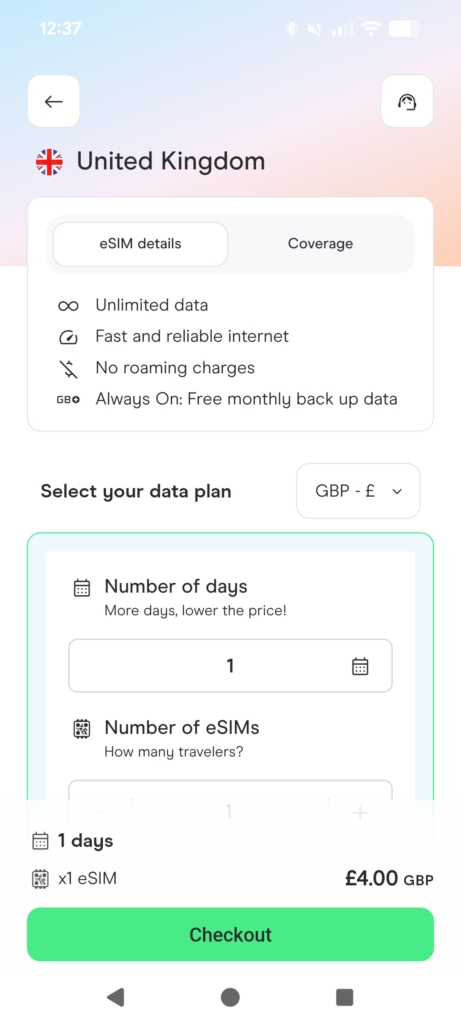
How Much Does a Holafly UK eSIM Cost?
The price depends on the length of your trip and the plan available at the time you book. Because Holafly regularly updates its plans and pricing, I’d recommend checking the current UK options directly before your trip rather than relying on an old price listed in a blog post.
Sign up for Holafly and get the best deal for your next UK trip (Use this link for 5% off eSIMs)
My Tips for Using an eSIM in the UK
After my own experiences, these are the things I’d recommend doing before your trip.
Install It Before You Leave
You don’t want to land in London, Manchester or Edinburgh and then discover that your phone won’t connect to the airport Wi-Fi. Install your eSIM before leaving home while you’re connected to your normal Wi-Fi.
Activate It When You Arrive
You can have everything ready before your trip and then activate the eSIM when you arrive in the UK. That way, you’re not wasting your travel data before you actually need it.
Keep Your Normal SIM in Your Phone
There’s no need to remove your regular SIM just because you’re using an eSIM. This was one of the biggest reasons I was excited about switching from physical SIM cards to eSIMs.
Download Anything Important Before Your Trip
Even with an eSIM, I always recommend having a few things available offline. Download your hotel address, save important booking confirmations and consider downloading offline maps for the cities you’re visiting. It’s always better to be prepared.
Don’t Rely on Your Travel Buddy’s Phone
This one is particularly relevant if you’re travelling with friends. During my Manchester trip, I ended up relying on my best friend’s phone for navigation when my own connection wasn’t working properly.
It worked, but it wasn’t ideal. If you’re travelling solo, this isn’t even an option. Having your own reliable connection means you can confidently navigate a new city yourself.
Frequently Asked Questions About UK eSIMs
Do I need an eSIM to travel to the UK?
Not necessarily. If your existing mobile plan already includes reliable data in the UK, you may not need one. However, if your provider doesn’t include UK roaming or your connection is unreliable, an eSIM can be a convenient alternative.
Can I use an eSIM and my normal SIM at the same time?
Yes. Your phone can support your normal SIM and a travel eSIM simultaneously, depending on your device. You can choose which SIM you want to use for mobile data without physically removing your normal SIM.
Can I install my Holafly eSIM before travelling?
Yes. I actually recommend doing this. Installing it while you’re still at home means you can get everything ready using your normal Wi-Fi and then activate your travel eSIM when you arrive.
Is Holafly good for short UK trips?
I think it’s particularly useful for short city breaks because you don’t have to spend part of your limited trip sorting out a physical SIM card or looking for a local shop.
Most of my own UK trips are only a few days long, so convenience is a big factor for me.
Can I use WhatsApp with a Holafly eSIM?
Yes. You can continue using WhatsApp while travelling with your normal WhatsApp number. Your eSIM provides the mobile data connection; it doesn’t mean you have to change your WhatsApp number.
Is an eSIM worth it for solo travel?
I’d say it’s especially useful for solo travellers. When you’re travelling alone, you can’t rely on someone else’s phone when Google Maps isn’t loading or you need to look something up. Having your own mobile connection gives you much more independence.
Would I Use Holafly Again?
I think my Manchester trip pretty much answered this question for me. After spending several days relying on free Wi-Fi and my best friend’s phone, I finally gave in and installed my Holafly eSIM. Suddenly, I could use my own phone normally again. And that’s really why I recommend it.
I’m not someone who needs mobile data because I’m working remotely from five different countries every month. I’m a traveller who takes frequent short trips around the UK and needs her phone to actually work while she’s out exploring. I need Google Maps. I need public transport information. I need train tickets. I need WhatsApp. I need my emails. I need to be able to look up a restaurant when I’m hungry. And I don’t want to spend my holiday searching for Wi-Fi.
After visiting the UK so many times, I’ve learned that reliable mobile data makes my trips noticeably easier. And after discovering eSIMs, I also realised there’s no reason for me to go back to buying physical SIM cards every time I travel.
So if you’re heading to the UK and your current phone plan doesn’t give you reliable data, I’d definitely recommend looking into a Holafly eSIM!
Check Holafly’s UK eSIM Plans (Use this link for 5% off eSIMs)
Xo Bug Girl
Instagram: @thebuggirladventures
Other Posts to Help You Plan Your Trip
How I Plan a Trip from Start to Finish: My Favorite Travel Tools for 2026 – Bug Girl Adventures
Travel Discount Codes – Bug Girl Adventures
This post contains affiliate links. If you purchase through my link, I may earn a small commission at no extra cost to you. This helps support Bug Girl Adventures and allows me to continue creating free travel guides, itineraries and honest travel reviews. All opinions are my own and based on my personal experience using Holafly while travelling.
Leave a Reply